

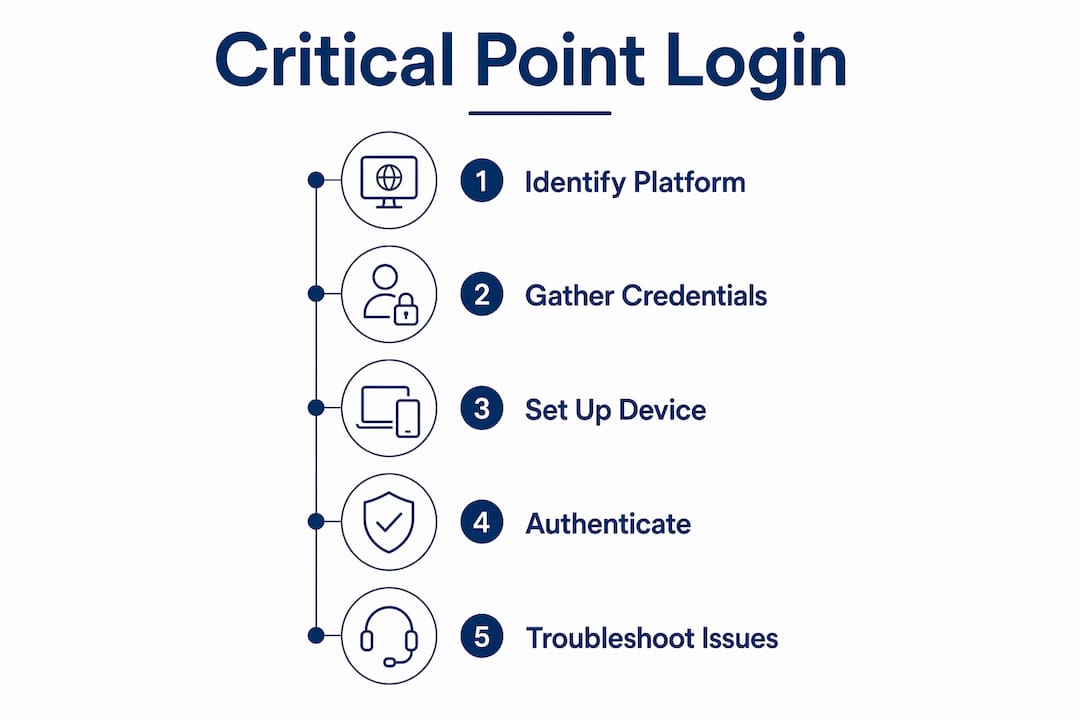
Critical point log in is the process of accessing highly secure public-sector systems using advanced authentication methods to protect sensitive data and maintain compliance. Government employees and contractors face a specific challenge: the term "critical point" is informal and often maps to several distinct platforms, including Deltek Costpoint, Check Point cybersecurity portals, and NCR Counterpoint. Government contractors often confuse "critical point" with specific product names, which complicates helpdesk support and slows resolution. Knowing which system you are accessing is the first step to a successful login. Modern authentication standards like SAML SSO and Passkey now govern most critical point portal access, replacing traditional password-only methods across public-sector platforms.
What do you need before attempting a critical point log in?
Successful critical point access starts before you open a browser. Missing even one required credential causes login denial, and the fix is rarely obvious in the error message.

Required credentials and identifiers
Every critical point software login requires a specific combination of identifiers. The exact set depends on your platform:
- Username or email address registered to your agency or contractor account
- Organization ID or tenant identifier assigned by your agency's IT administrator
- System-specific serial number or licensed ZIP code for legacy platforms like NCR Counterpoint. Legacy systems require credentials beyond username and password, including serial and ZIP code verifications tied to agency contracts. Omitting these causes login denial even when the password is correct.
- SAML SSO identity provider credentials if your agency uses federated login through a provider like Microsoft Azure AD or Okta
- Registered device for Passkey authentication, including a smartphone or hardware token enrolled with your agency
Device and authentication setup
| Authentication Method | Device Requirement | Setup Step |
|---|---|---|
| SAML SSO | Any agency-approved browser | Configure identity provider in account settings |
| Passkey | Biometric-capable device (phone, laptop) | Register device through account security portal |
| Password + MFA | Any device with authenticator app | Link authenticator app to account |
| Legacy password | Desktop or kiosk terminal | No device registration needed |
Deltek mandates a shift from database and Active Directory password logins to SAML SSO or Passkey by july 30, 2026. That deadline means contractors who have not registered a device or configured an identity provider will lose access entirely. Contact your IT administrator at least two weeks before the deadline to complete device enrollment.
Pro Tip: Check with your agency IT team whether your organization uses Azure AD, Okta, or a custom SAML provider before attempting to configure SSO. Using the wrong identity provider endpoint is one of the most common setup errors.
How to log into critical point systems step by step
The login process varies by platform, but the underlying structure is consistent across most public-sector portals. Follow these steps for the most common authentication paths.
Logging in with SAML SSO
- Navigate to your platform's login URL. For Deltek Costpoint cloud users, this is the Costpoint cloud portal. For Check Point training portals, use the URL provided by your agency administrator.
- Select "Sign in with SSO" or "Use organization login." Do not enter a password on this screen. SAML SSO redirects you to your identity provider.
- Authenticate with your identity provider. Enter your agency email and complete MFA if prompted. This step happens on your organization's identity provider page, not the platform itself.
- Return to the platform automatically. A successful SAML exchange redirects you back to the platform dashboard. No manual token entry is required.
- Verify your session is active. Check that your username and role appear correctly in the top navigation. An incorrect role assignment means your IT administrator needs to update your account permissions.
Logging in with Passkey
- Open the platform login page and select "Sign in with Passkey" or "Use biometrics."
- Confirm your identity on your registered device. This uses your device's fingerprint reader, face recognition, or PIN. The platform receives a cryptographic token, not your biometric data.
- Complete the login. No password is entered. Passkey authentication reduces password fatigue and improves security audit compliance by allowing passwordless login using device biometrics or tokens. Users experience faster logins and fewer mandatory resets.
Navigating legacy platform logins
NCR Counterpoint and similar legacy portals use a layered credential model. Enter your username, password, serial number, and licensed ZIP code in the fields provided. NCR Counterpoint requires a password plus serial number and licensed ZIP code following 2024 security updates. All four fields must be present and correct for the login to succeed.
Pro Tip: Save your serial number and licensed ZIP code in a secure password manager approved by your agency. These credentials are easy to misplace and are not recoverable through a standard password reset.
What causes critical point login issues and how do you fix them?
Login failures on critical point platforms fall into a small number of categories. Most are not password problems, even though the error message often suggests otherwise.
Common causes of login failure
- Expired security tokens. Login failures often involve expired tokens or invalid organization IDs rather than simple password errors. Administrators must verify that cluster-specific endpoints and tokens are current.
- Invalid or mistyped Organization ID. A single character error in the org ID causes authentication to fail at the identity provider level. Copy the ID directly from your agency's IT documentation rather than typing it manually.
- Inactive account. Check Point training portals enforce a mandatory password reset after 90 days of inactivity. Returning users who have not logged in for three months will be forced through a reset flow before gaining access.
- Unregistered device for Passkey. If you replaced your phone or laptop without re-enrolling it, your Passkey credential is invalid. Contact your IT administrator to revoke the old device and register the new one.
- Wrong platform URL. Multiple platforms share similar names. Confirm you are using the exact URL provided in your agency's onboarding documentation.
Key fact: Users commonly misread login failures as password problems when the actual cause is an expired token or incorrect organization identifier. Resetting your password in this situation wastes time and does not resolve the underlying issue. Always check your token status and org ID first.
How to recover access
Contact your agency IT help desk with your username, organization ID, and the exact error message displayed. For Passkey failures, request a device re-enrollment link. For SAML SSO failures, ask the administrator to verify your identity provider mapping. For legacy platforms like NCR Counterpoint, confirm your serial number is still active under your agency's current contract. Public sector contracting tips for tech professionals include maintaining a record of all system credentials tied to active contracts, which speeds up recovery significantly.
Security best practices for managing critical point system access
Secure critical point portal access requires more than a strong password. Public-sector compliance standards demand a structured approach to identity and access management.
Adopt the principle of least privilege
Granting access via groups rather than individual users is the preferred practice for system-critical resources. This reduces audit exposure and limits the blast radius if a credential is compromised. Assign roles at the group level and review group memberships quarterly.
Move beyond static logins
Security flaws in privileged access highlight the need for continuous identity validation beyond static logins. Traditional privileged access management is becoming obsolete against modern threats. Continuous validation means the system checks identity at multiple points during a session, not just at login. This approach catches session hijacking attempts that a one-time login check would miss.
Reduce password fatigue through modern authentication
Modern authentication methods like Passkey significantly reduce IT administrative burden and improve user experience for public-sector contractors. Fewer password resets mean fewer help desk tickets and fewer windows where a user might choose a weak password under pressure. Agencies that have completed the SAML SSO transition report measurable reductions in access-related support requests.
Pro Tip: Schedule a quarterly access review with your IT administrator. Verify that every active account still belongs to a current employee or contractor. Dormant accounts are a primary vector for unauthorized access in public-sector environments.
For broader guidance on managing secure IT partnerships in government environments, the principles of access control and identity management apply directly to how agencies structure vendor and contractor relationships.
Key Takeaways
Successful critical point log in depends on using the correct authentication method, verified credentials, and a registered device before the july 30, 2026 deadline for modern authentication compliance.
| Point | Details |
|---|---|
| Identify your platform first | "Critical point" maps to multiple systems; confirm whether you need Costpoint, Check Point, or NCR Counterpoint. |
| Prepare all required credentials | Gather your org ID, serial number, and device registration before your first login attempt. |
| Switch to SAML SSO or Passkey | Deltek disables password-based logins by july 30, 2026; register your device now to avoid losing access. |
| Diagnose failures by token and org ID | Most login errors trace to expired tokens or wrong organization identifiers, not incorrect passwords. |
| Apply least privilege and continuous validation | Assign access at the group level and use session-level identity checks to meet audit requirements. |
Why the 2026 authentication shift is harder than it looks
The move from password-based logins to SAML SSO and Passkey sounds straightforward on paper. In practice, I have seen government contractors underestimate it repeatedly, and the consequences show up at the worst possible time: during an audit or a contract deliverable deadline.
The core problem is coordination. Passkey enrollment requires a registered device, which requires IT approval, which requires a ticket, which requires lead time. Agencies running lean IT teams often have a backlog that stretches weeks. Contractors who wait until june or july 2026 to start the transition will find themselves locked out of Deltek Costpoint right when they need to submit invoices or pull compliance reports.
The second problem is terminology confusion. I have watched help desk calls spiral because a contractor said "critical point login" and the support technician assumed they meant Check Point, not Costpoint. That single miscommunication can add 30 minutes to a resolution that should take five. Standardizing the language your team uses when reporting login issues is a small change with a real payoff.
The third problem is that most training on modern authentication is written for IT administrators, not for the end users who actually sit down and try to log in. The gap between "your admin has configured SAML SSO" and "here is exactly what you click" is where most users get stuck. Agencies that invest in user-level training before the deadline will have a much smoother transition than those that rely on documentation alone.
My recommendation: start the device enrollment process now, test your SAML SSO configuration with a non-critical account first, and document every credential your team uses across all platforms. That documentation becomes your recovery plan if something breaks.
— Randy
Primereadysub supports your authentication transition
Government agencies and contractors navigating the shift to modern authentication need more than documentation. Primereadysub, the public-sector IT modernization arm of Rutledge & Associates, LLC, specializes in exactly this kind of transition. The firm supports SAML SSO and Passkey implementations for state agencies and federal contractors, with a focus on compliance automation and audit readiness. Primereadysub works within clearly defined scopes, meaning your agency gets direct outcomes rather than open-ended consulting hours. For contractors in Maryland, New York, and Florida managing secure government IT access, Primereadysub provides the technical depth and compliance focus that complex, deadline-driven programs require.
FAQ
What is a critical point log in?
Critical point log in refers to accessing highly secure public-sector platforms using verified credentials and modern authentication methods such as SAML SSO or Passkey. The term is informal and applies to several distinct systems depending on your agency's technology stack.
How do I log into Deltek Costpoint after the 2026 change?
Deltek will disable password-based logins by july 30, 2026, so you must configure SAML SSO through your identity provider or register a device for Passkey authentication before that date.
Why does my critical point login keep failing?
Most login failures trace to expired security tokens or invalid organization IDs rather than incorrect passwords. Check your org ID and token status with your IT administrator before resetting your password.
What credentials do legacy platforms like NCR Counterpoint require?
NCR Counterpoint requires a username, password, serial number, and licensed ZIP code. All four must be correct and current under your agency's active contract for login to succeed.
How does the principle of least privilege apply to critical point access?
Least privilege means assigning system access at the group level rather than to individual users, which limits audit exposure and reduces risk if a credential is compromised. Review group memberships quarterly to keep access current.