

Section 508 testing is the repeatable combination of automated scanning, manual code inspection, assistive-technology checks, and user testing used to verify that information and communication technology (ICT) meets the Revised Section 508 standards. It matters because a passing scan alone proves nothing to a contracting officer or an auditor. The verification has to be documented, repeatable, and mapped to a recognized standard before anyone accepts it as conformance evidence.
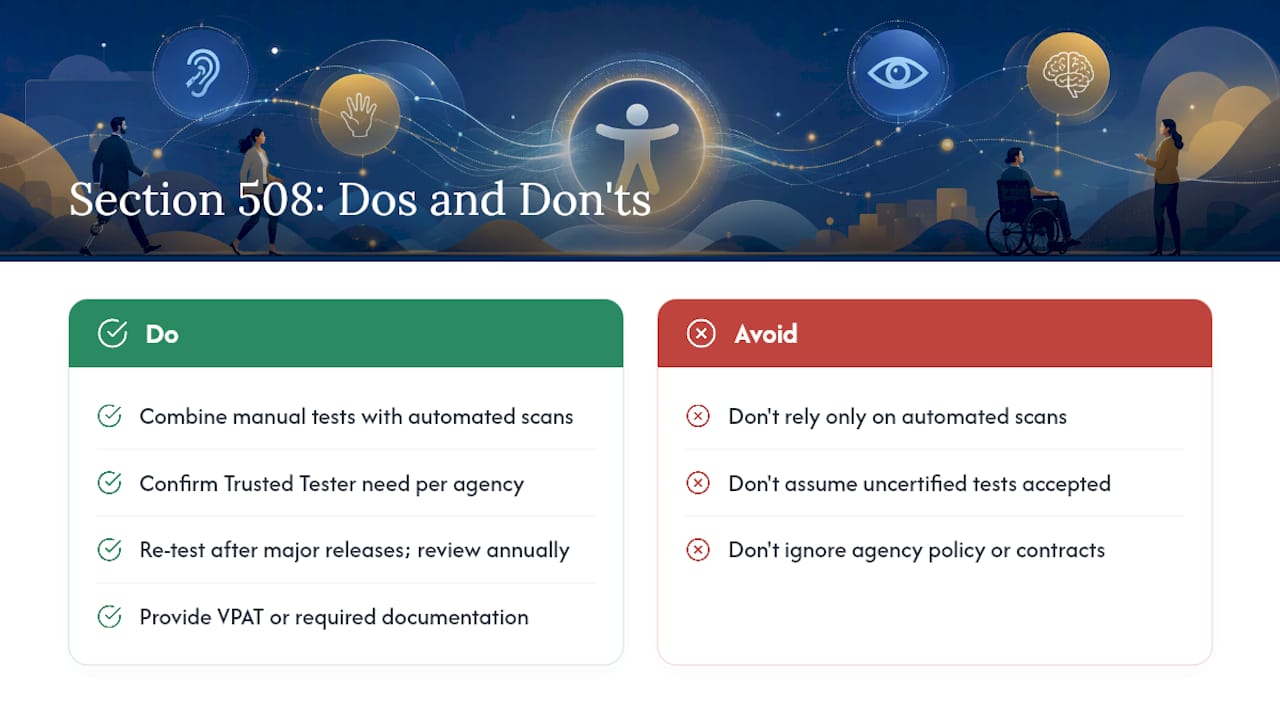
If you're starting from scratch, three moves matter more than anything else this week. First, triage scope: identify which ICT components (web, documents, software, mobile) actually need testing and which are out of scope as legacy or third-party systems under a waiver. Second, select your baseline: the ICT Testing Baseline Portfolio gives you the minimum set of test components agencies are expected to use, with the Web Baseline (v3.1) and Documents Baseline (v1.0) as the core references. Third, decide whether you need DHS Trusted Tester–certified staff, since many agencies require certified testers for official compliance reviews and won't accept results from uncertified processes.
The Trusted Tester methodology defines multiple specific test conditions covering numerous web requirements, which is the level of granularity federal reviewers expect to see reflected in your test documentation, not a summary paragraph claiming "WCAG AA compliant."
Key Takeaways
Section 508 testing requires a documented, Baseline-mapped combination of automated scanning, manual code inspection, and assistive-technology verification to count as valid federal conformance evidence.
| Point | Details |
|---|---|
| Triage scope first | Identify which ICT components, web, documents, software, mobile, actually require testing before choosing tools. |
| Select the right baseline | Map internal test instructions to the Web (v3.1) or Documents (v1.0) Baseline as the minimum standard. |
| Validate your rulesets | Compare automated tool output against curated test cases before trusting scan results for compliance claims. |
| Decide on Trusted Tester early | Certify staff or budget for certified testers if the contract or agency requires official Trusted Tester results. |
| Build reports for reuse | Structure evidence in SCRT-compatible format so results can be shared across agency programs. |
| Bring in a defined-scope partner | Rutledge & Associates delivers Baseline-aligned testing and remediation as owned work packages for agencies and primes. |
Table of Contents
- What Does Section 508 Testing Actually Involve?
- How Does Testing Fit Into the ICT Project Lifecycle?
- What Testing Methods Prove Section 508 Conformance?
- Which Tools Should You Use for Section 508 Testing?
- How Do You Test Web Content for Section 508 Compliance?
- How Do You Test Electronic Documents for Section 508?
- How Do You Test Software and Mobile Apps for 508 Compliance?
- What Is the ICT Testing Baseline Portfolio?
- What Is the DHS Trusted Tester Process?
- How Do You Operationalize Testing Into CI/CD and Governance?
- What Belongs in a Section 508 Test Report?
- How Much Does Section 508 Testing Cost, and How Long Does It Take?
- Lessons From Government IT Modernization Work
- How Rutledge & Associates Supports Section 508 Compliance Work
- Where to Find the Official Section 508 Testing Resources
- Frequently Asked Questions
- Sources
What Does Section 508 Testing Actually Involve?
Section 508 testing validates ICT against the accessibility standards incorporated by reference into the Revised Section 508 rule, which largely track WCAG 2.0 Level A and AA success criteria for web content, plus separate provisions for software, hardware, and documents. The confusion between "WCAG vs Section 508" trips up a lot of newcomers, so it's worth settling early: WCAG is a content standard maintained by the W3C, while Section 508 is a federal law that adopts WCAG criteria as its technical baseline and adds software, documentation, and procurement obligations WCAG never addressed.
That distinction shapes how you test. A pure WCAG audit checks web pages against success criteria. A Section 508 accessibility test also has to account for procurement language, Voluntary Product Accessibility Templates (VPATs), and agency acceptance criteria that WCAG alone doesn't cover.
Testing isn't a single event bolted onto the end of a project. Federal guidance is explicit that accessibility conformance should be built into the SDLC from planning through deployment, covering commercial-off-the-shelf software, open-source components, and custom-built systems alike. Skipping that and testing only at launch is the single most expensive mistake teams make, because by then the architecture decisions that caused the failures are already locked in.
How Does Testing Fit Into the ICT Project Lifecycle?
Testing belongs at four distinct points in a project, and each point has a different owner.
- Pre-procurement: Policy and program office staff define accessibility requirements in the solicitation and require VPATs or ACR documentation from vendors before award.
- Development sprints: Developers and QA run automated scans against every build, catching regressions before they compound.
- Pre-release: An accessibility subject matter expert or Trusted Tester–certified reviewer runs the full baseline test suite, mixing automated and manual checks.
- Post-deployment monitoring: The program office tracks issue recurrence, user complaints, and periodic re-testing on a defined cadence, often annually or after major releases.
Automated scan waves should run continuously, ideally on every pull request or nightly build. Manual baseline testing, by contrast, is expensive enough that most teams reserve it for release candidates and major feature additions rather than every commit.
Pro Tip: Assign a single accountable owner for the Section 508 test process before development starts. Teams that split ownership between developers, QA, and a compliance office tend to produce contradictory pass/fail calls when a reviewer finally checks the work.
Governance matters here more than tooling. A team with mediocre scanners and a clear escalation path for disputed findings will outperform a team with excellent scanners and no one accountable for signing off on results.
What Testing Methods Prove Section 508 Conformance?
No single method proves conformance on its own. Federal guidance is direct about this: automated tools catch a meaningful share of issues fast and cheaply, but they cannot evaluate context-dependent requirements like whether alt text is meaningful or whether a custom widget's keyboard behavior matches user expectations. That gap is why manual testing remains mandatory for comprehensive conformance claims.
Four methods cover the field, each with a different job:
- Automated scanning crawls pages or scans code against a ruleset and flags likely violations at scale, fast and cheap but blind to intent and context.
- Manual code inspection (the Trusted Tester approach) has a certified reviewer step through defined test conditions against rendered code, catching what automation misses.
- Assistive-technology checks verify real behavior with screen readers like JAWS or NVDA, magnification software, and voice control, surfacing interaction bugs scanners never see.
- User testing with people with disabilities validates that a product is actually usable, not just technically compliant, exposing friction that passes every automated and manual check.
| Method | Coverage | Best for | Automation vs. human judgment | Cost/effort | Reporting format |
|---|---|---|---|---|---|
| Automated scanning | Broad but shallow; catches roughly 30-40% of common issue types | Continuous regression checks, large sites | Fully automated | Low cost, minimal effort | Tool export (JSON/CSV), needs mapping to SCRT |
| Manual code inspection | Deep, criterion-by-criterion review | Release gates, official conformance claims | Human judgment against defined test steps | Moderate to high effort, requires trained staff | Trusted Tester report, SCRT-compatible |
| Assistive-technology checks | Interaction-level behavior with real AT | Complex widgets, custom components | Human judgment with AT software | Moderate effort, specialized skill | Narrative findings tied to test conditions |
| User testing with people with disabilities | Real-world usability, not just conformance | Major redesigns, high-traffic public services | Entirely human-centered | Higher effort, requires recruiting participants | Qualitative findings, session notes |
The typical federal best practice pairs automated scanning for continuous coverage with manual, Trusted Tester–aligned inspection at release gates. Assistive-technology checks and user testing get reserved for higher-stakes or higher-complexity products, since they're the most resource-intensive but also the only methods that catch usability failures a scanner will never flag.
Which Tools Should You Use for Section 508 Testing?
Tool choice depends on what you're testing and how the output needs to be reported, not on which scanner has the flashiest dashboard.
- Deque axe is widely used for developer-integrated automated scanning, with strong browser extension and CI/CD plugin support.
- WebAIM WAVE works well for quick visual audits and is popular with non-developers doing first-pass reviews.
- Google Lighthouse is built into Chrome DevTools and gives a fast baseline accessibility score alongside performance and SEO metrics.
- Microsoft Accessibility Insights offers both a fast automated pass and a guided manual assessment mode that walks testers through criteria a scanner can't judge.
- The Section 508 Compliance Reporting Tool (SCRT) is the government-standard reporting format DHS publishes alongside the Trusted Tester process, and it's increasingly what agencies expect for shareable, standardized conformance documentation.
Before you trust any tool's output, validate its ruleset against curated test cases and compare a sample of automated findings to manual review results. Rulesets that haven't been validated against your agency's actual testing methodology tend to generate both false positives that waste remediation time and false negatives that let real defects ship. Scan depth and crawl configuration matter too: a scanner set to check only rendered DOM will miss issues that only appear in dynamic states, like modal dialogs or form validation errors.
On the CI/CD side, most teams wire axe or Accessibility Insights into pull-request checks as a hard gate for new critical-severity issues, while reserving full manual baseline runs for release branches. Export formats matter for downstream reporting: whatever automated tool you pick, confirm its output can be mapped into SCRT format, since a common contractor pitfall is generating solid internal test data that never gets translated into the reporting structure agencies actually expect.

If you manage a WordPress-based public site, a WordPress-specific accessibility scanner can catch plugin-introduced issues that generic crawlers miss, and for large agency sites, a crawl-based accessibility audit approach helps you scale scanning across thousands of pages without manually queuing each URL.
How Do You Test Web Content for Section 508 Compliance?
Web content testing follows a repeatable checklist mapped directly to the ICT Web Baseline. Work through these steps in order for every page template, not just the homepage:
- Keyboard access: Tab through the entire page without a mouse and confirm every interactive element is reachable and operable.
- Focus order and visibility: Verify the focus indicator is visible at every stop and that tab order matches the visual and logical reading order.
- Alt text: Check that every meaningful image has accurate alt text and that purely decorative images are marked so assistive technology skips them.
- Heading structure: Confirm headings nest logically (H1 to H2 to H3) without skipped levels, since screen reader users navigate by heading outline.
- ARIA usage: Verify ARIA roles and states are used only where native HTML semantics fall short, and that they update correctly on dynamic changes.
- Captions and transcripts: Confirm video content has accurate synchronized captions and audio content has a text transcript.
Baseline mapping: each of these steps corresponds to a specific test condition in the ICT Web Baseline. A code-inspection example: to verify heading structure, a Trusted Tester–aligned reviewer doesn't just glance at the rendered page, they open the DOM inspector, confirm the <h1> through <h3> tags exist in the markup (not simulated with styled <div> tags), and check that the sequence matches the visual hierarchy exactly, per the defined Trusted Tester test condition for heading structure.
How Do You Test Electronic Documents for Section 508?
Documents get overlooked constantly, and it's usually the reason an otherwise-compliant agency site fails an audit. PDFs and Office files fall under the Documents Baseline and require their own checklist:
- Confirm the document has a proper logical structure with tagged headings, not just bold, larger text simulating a heading.
- Add alt text to every image, chart, and infographic that conveys information.
- Verify a sensible reading order, especially in multi-column layouts where visual order and tag order can diverge.
- Check that bookmarks exist for documents longer than roughly ten pages, so screen reader users can navigate without reading linearly.
- Run tagged PDF validation to confirm the tag tree matches content, since a PDF exported from Word without proper tagging often looks fine visually while failing every screen reader test.
Automated document checkers catch missing tags and untitled documents quickly, but reading order and alt text quality still require a human reviewer. For remediation, a lightly broken document (missing alt text, a few structure gaps) can usually be reflowed and tagged in place. A document built from a scanned image or exported from poorly structured source software often needs to be rebuilt from the original source file entirely, which is a cost and timeline factor worth flagging to stakeholders early rather than discovering mid-remediation.
How Do You Test Software and Mobile Apps for 508 Compliance?
Native software and mobile apps require a different checklist than web content, even when the underlying interface looks similar:
- Verify full keyboard access for desktop software, since some custom controls only respond to mouse events.
- Confirm screen reader compatibility with platform-native tools (VoiceOver on iOS, TalkBack on Android, JAWS or NVDA on Windows).
- Check touch target size on mobile, since small tap targets are both a Section 508 issue and a usability failure for users with motor impairments.
- Run focus-order and programmatic-name checks (FPC checks) to confirm every control has an accessible name exposed to assistive technology.
Platform matters more here than on the web. iOS and Android each have distinct accessibility APIs, and hybrid apps that embed web views need to be tested as both a native app and a web page, since a web view can pass native accessibility checks while still failing WCAG-based web criteria inside its embedded content. Baseline coverage for software and hardware is less mature than the Web and Documents Baselines, which are the most developed portfolios currently available. That gap means teams testing custom desktop or mobile software often need to extend baseline test conditions with platform-specific manual testing rather than relying on baseline coverage alone.
What Is the ICT Testing Baseline Portfolio?
The ICT Testing Baseline Portfolio is a standardized set of test components that agencies are expected to use as the minimum bar for evaluating Section 508 conformance. It currently includes the Web Baseline (version 3.1) and the Documents Baseline (version 1.0), with additional baselines for software and hardware planned as the portfolio matures. The Federal CIO Council's Accessibility Community of Practice recognizes the Baseline as best practice precisely because it solves a problem that plagued federal accessibility testing for years: inconsistent test criteria between agencies that meant a product certified by one agency still had to be re-tested from scratch by the next.
The Harmonized ICT Test Baseline was built to eliminate exactly that redundancy, so a product tested and approved once can be trusted by another agency rather than triggering a fresh testing cycle. That harmonization is a real cost lever for contractors juggling multiple agency clients, since one well-documented Baseline-aligned test package can satisfy more than one customer's compliance requirements.
Mapping your internal test instructions to Baseline tests isn't optional busywork. Federal guidance and testing-methodology overviews both note that using non-baseline tools or criteria to determine pass/fail is often disallowed in federal contracts, because results have to align with the Harmonized ICT Test Baseline to count as valid evidence. If your internal QA team built its own accessibility checklist years ago without reference to the Baseline, that checklist likely won't satisfy a contracting officer today. The Baseline test materials and updates are maintained in public repositories, and teams building internal test documentation should treat those repos as the canonical source rather than working from a static PDF someone downloaded two years ago.
What Is the DHS Trusted Tester Process?
Trusted Tester is the code-inspection methodology DHS developed to produce repeatable, consistent conformance results that different organizations can trust without re-testing from scratch. The current version, Trusted Tester v5.1, defines 63 specific test conditions covering 41 web requirements, and it aligns directly with the ICT Testing Baseline rather than running as a separate, competing standard.
Certification requires passing the Trusted Tester Certification Exam, and many federal agencies treat that certification as a prerequisite for accepting test results as official conformance evidence. That's a meaningful operational decision point: if your program needs its testing accepted across agency lines, or if the contract explicitly requires it, you need certified staff on the team, not just people who are generally good at accessibility.
Training touchpoints typically include working through the published Trusted Tester Conformance Test Process materials, practicing on sample pages against the defined test conditions, and taking the certification exam itself. DHS publishes these resources alongside the Section 508 Compliance Reporting Tool, which is the reporting format Trusted Tester results are meant to feed into. A recurring pitfall worth flagging: contractors run a technically sound Trusted Tester process internally, then fail to map their findings into the SCRT structure agencies increasingly expect, which forces a rework cycle that a little upfront reporting discipline would have avoided.
How Do You Operationalize Testing Into CI/CD and Governance?
Embedding Section 508 testing into delivery pipelines works best as a layered gate system rather than one giant manual review at the end.
CI/CD integration steps:
- Add automated linting (axe or a similar ruleset) as a required check on every pull request, blocking merges on new critical-severity violations.
- Run a lightweight automated scan on every staging deploy to catch regressions before user acceptance testing.
- Schedule full manual Baseline-aligned testing at defined release gates, not on every sprint.
- Run a periodic (quarterly or annual) comprehensive re-test on production to catch drift from content updates and third-party component changes.
Quality gates checklist: new critical-severity automated findings block merge; Baseline test coverage is documented before a release candidate ships; Trusted Tester sign-off is required for public-facing releases where the contract specifies it; and monitoring dashboards flag any spike in user-reported accessibility issues post-launch.
Governance and procurement matter just as much as tooling. Contract language should specify which Baseline version applies, require VPAT or ACR documentation aligned to that Baseline, and state whether Trusted Tester certification is a staffing requirement. Program offices should assign clear roles: a technical lead owns automated gate configuration, an accessibility SME owns manual Baseline testing, and a compliance officer owns final sign-off and agency reporting. Useful KPIs to track over time include Baseline test coverage percentage, the ratio of critical to minor findings, and time-to-remediate by severity tier, all of which give leadership a defensible narrative for audit readiness rather than a pile of disconnected scan reports. Readers managing vendor relationships on these programs may also find it useful to review guidance on selecting IT partners for public sector work when drafting procurement requirements around testing scope.
What Belongs in a Section 508 Test Report?
A test report that can't survive an audit request is functionally useless, no matter how thorough the underlying testing was. The essential elements are:
- Scope statement: exactly which ICT components, pages, or app screens were tested and which were explicitly excluded.
- Methodology description: which combination of automated, manual, AT, and user testing was used, and which Baseline version the tests map to.
- Pass/fail definitions: the specific criteria used to determine conformance for each test condition, not a subjective overall grade.
- Evidence links: screenshots, code snippets, or scan exports tied to each finding so a reviewer can verify the claim independently.
- Remediation status: current state of each open finding, owner, and target resolution date.
For KPIs, track Baseline test coverage percentage, open issues broken down by severity, average time-to-remediate, and repeat failure rate across releases, since a high repeat rate usually signals a systemic development pattern rather than a series of one-off mistakes. Present these to leadership as trend lines over multiple releases rather than a single snapshot, since a single test report tells you where you stand today but a trend tells you whether your process is actually improving.
Making reports shareable across agencies pays off directly. Structuring your evidence and Baseline mapping in SCRT-compatible format means a prime contractor working across multiple agency programs isn't rebuilding documentation from scratch for each client, which is exactly the redundancy the Harmonized Baseline was designed to eliminate.
How Much Does Section 508 Testing Cost, and How Long Does It Take?
Cost and timeline both scale with scope, ICT type, and how much manual testing the conformance claim requires, so there's no single number that applies across projects.
The main cost drivers are the number of unique page templates or app screens (not raw page count, since ten pages built from the same template test far faster than ten unique layouts), the mix of automated versus manual testing needed, the complexity of any custom interactive components, whether Trusted Tester certification is a staffing requirement, and how much remediation the initial pass surfaces.
Timelines fall into rough bands. A quick automated scan of a small site can run in days and gives you a directional signal, not a conformance claim. Component or manual testing of a moderate site with several unique templates typically runs several weeks once you factor in manual code inspection and AT verification. Comprehensive Baseline testing across a large, complex application, including user testing with people with disabilities, is a multi-month effort, particularly when remediation gets folded into the same engagement rather than treated as a separate follow-on phase.
The clearest way to control both cost and timeline is integrating testing early. Building accessibility into development from the start is consistently cheaper than remediating a legacy system after the fact, since architectural decisions made without accessibility in mind (custom widgets with no keyboard handling, document templates with no heading structure) are far more expensive to unwind later than to build correctly the first time. Reusing test artifacts and Baseline-mapped evidence across projects, and sharing results across agencies where the Harmonized Baseline allows it, are the two most reliable ways to avoid paying for the same testing twice.
Lessons From Government IT Modernization Work
Federal accessibility testing rarely fails because a team lacks tools. It fails because of three recurring, avoidable patterns.
The first is testing too late. Teams that treat Section 508 testing as a pre-launch checkbox rather than a continuous SDLC activity end up discovering, days before go-live, that a core custom component needs to be rebuilt because its keyboard handling was never designed with accessibility in mind. There's no fast fix at that stage, only an expensive one.
The second is ignoring Baseline mapping entirely. Plenty of teams run competent-looking accessibility tests using an internally built checklist that has no documented relationship to the ICT Testing Baseline. That work might genuinely improve the product, but it won't satisfy a contracting officer asking for Baseline-aligned evidence, and redoing the mapping after the fact is far more painful than building test instructions against the Baseline from day one.
The third is trusting an unvalidated ruleset. A scanner configured with default settings and no validation against curated test cases will generate both false positives that waste remediation hours and false negatives that let real defects reach production. Neither failure mode is obvious until a manual reviewer or, worse, an external audit, catches the gap.
If there's one operational habit worth adopting immediately, it's this: map every internal test instruction to a specific Baseline test condition before you write a single line of test code. That single discipline resolves most of the reporting and acceptance problems that surface later in a program's life.
How Rutledge & Associates Supports Section 508 Compliance Work
Rutledge & Associates, LLC delivers Section 508 testing and remediation as defined, outcome-owned work packages rather than staff augmentation, which matters when a prime contractor needs a scope handled without adding management overhead. Services include Baseline-aligned test execution, Trusted Tester–credentialed staffing for engagements that require certified reviewers, CI/CD accessibility automation built into existing DevOps pipelines, focused remediation sprints for document and code-level failures, and real-time reporting dashboards that keep programs audit-ready between formal reviews.
As an SDVOSB, woman-owned, and SBA-certified firm with a track record on compliance-heavy public-sector programs in Maryland, New York, and Florida, Rutledge & Associates brings government-tested delivery discipline to a niche where inconsistent testing quality creates real audit and litigation exposure. If your program needs a Baseline-mapped testing package or a defined remediation sprint scoped against a specific deadline, visit the Rutledge & Associates landing page to start a conversation about a statement of work.
Where to Find the Official Section 508 Testing Resources
Government sources should always take priority over third-party summaries when you're building a defensible test process, since technical requirements and baseline versions change and only the primary source stays current.
- Section508 covers automated, manual, and hybrid testing methods, along with ruleset validation guidance.
- The ICT Testing Baseline Portfolio hosts the current Web and Documents Baselines, the source to consult for web and document test mapping specifically.
- DHS's Trusted Tester program page covers certification requirements and training resources for manual code-inspection testing.
- The Harmonized Baseline Tests for Software and Web Accessibility PDF documents the original harmonization effort and test structure in detail.
- Section508 is the source to consult when building software and custom-development testing into your delivery process.
For web-specific tooling comparisons beyond the government resources, a roundup of accessibility checker alternatives can help teams evaluate scanner options against their specific CMS and CI/CD setup.
Frequently Asked Questions
Is Section 508 testing the same as a WCAG audit? No. A WCAG audit checks web content against W3C success criteria only. Section 508 testing incorporates those same criteria for web content but also covers software, hardware, and documents, and it requires documentation formats like VPATs that WCAG doesn't define.
Do I need Trusted Tester certification to do any Section 508 testing? Not for every test, but many agencies require Trusted Tester–certified results for official conformance reviews and contract acceptance. Check your specific contract or agency policy before assuming automated scans or uncertified manual review will be accepted.
Can automated tools alone satisfy Section 508 compliance testing? No. Automated scanning catches a meaningful share of common issues but can't evaluate context-dependent requirements like alt text accuracy or custom widget behavior. Comprehensive conformance claims require manual testing alongside automated scans.
What happens if my organization fails Section 508 testing? Consequences can include contract non-acceptance, required remediation before payment or go-live, complaints filed with an agency's Section 508 coordinator, and in some cases litigation risk under Section 508's enforcement provisions. This article provides general operational guidance, not legal advice; confirm specific compliance obligations with your agency's Section 508 program office or legal counsel.
How often should Section 508 testing be repeated after initial conformance? Most programs re-test after major releases or content overhauls and run a comprehensive review on at least an annual cadence, with continuous automated scanning in between to catch regressions early.
This article is general information, not a substitute for advice from a qualified lawyer. Consult a qualified legal professional about your own circumstances before acting on anything here.
Sources
- Section508
- Section508
- ICT Testing Baseline Portfolio
- Section 508 Trusted Tester Conformance Test Process | Homeland Security
- Baseline Tests for Software & Web Accessibility (DHS/SSA harmonized baseline)